
 Text Tools
 Image Tools
 PDF Tools
 Social Media Tools
 Security Tools
 Coding Tools
 CSS Tools
 Color Tools
 Miscellaneous Tools
 Add to Chrome
 Add to Firefox


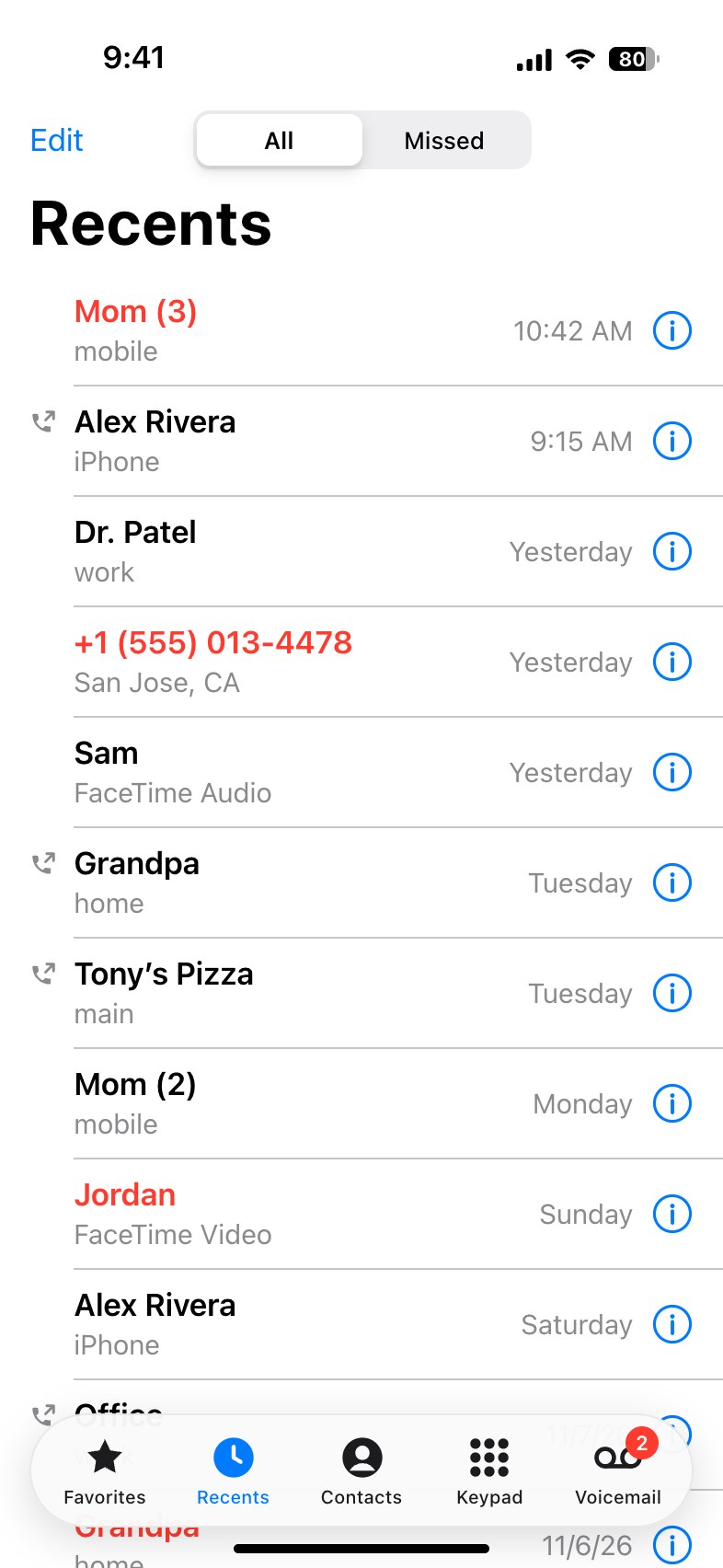
Draws the Recents list of the iPhone Phone app, with missed, incoming and outgoing calls, as a phone-sized screenshot.
What is the iPhone Call History Generator?
iPhone Call History Generator draws the Recents screen of the iPhone Phone app, the list of your last calls, so you can make a fake iPhone call log without making a single call. Missed calls are written in red, a call you made has the small handset beside it, and a number called several times in a row shows how many, as "Mom (3)". The picture is exactly one phone screen, 393 × 852 points like a current iPhone.
It is for the joke about the twelve missed calls from your mother, for a screenshot in a story or a video, and for mockups that need a realistic call list.
What you can set
- Up to 14 calls, each missed, incoming or outgoing, which you can reorder or remove (a removed call can be brought back).
- The name or the number: a number takes the place of the name when the name is empty, as for someone not in your contacts.
- The line under the name: the label of the number (mobile, iPhone, home, work, main, other), FaceTime Video or FaceTime Audio, or your own text, such as the city iOS shows for an unknown number.
- The time or the day on the right, written as you like: 9:41 AM, Yesterday, Tuesday or a date.
- Calls in a row: a number of 2 or more is written after the name in brackets.
- All or Missed: show the whole list or only the missed calls, with the switch at the top set to match.
- The screen: light or dark, the time and battery in the status bar, the voicemail badge on the tab bar and the language.
For the call itself, the iPhone Call Screen Generator draws an incoming call, a call you are making or one in progress.
How to make a fake iPhone call log
- Edit the calls in the list: the name or number, whether it was missed, incoming or outgoing, the line under the name and the time.
- Add calls with "Add Call", move them up and down, or remove the ones you do not need.
- Choose whether the screen shows all calls or only the missed ones.
- Under Screen, set the language, light or dark mode, the time and the battery.
- Download the picture or copy it to your clipboard.
Frequently asked questions
How do I show missed calls?
Set a call to "Missed" and its name turns red. To show only missed calls, choose "Missed calls only" and the switch at the top changes to Missed as well.
Can I make it in another language?
Yes. Choose the language under Screen and the words the Phone app writes itself, such as Recents, All, Missed, Edit, the tabs at the bottom and the labels of the numbers, change to it. There are English, Indonesian, Spanish, Portuguese, German, French, Turkish, Russian, Vietnamese, Italian, Polish and Dutch. The names and the times stay as you typed them.
Does it change my real call history?
No. It only draws a picture in your browser. Nothing is added to any phone, and no call is made.
Is my data kept?
Your list is kept in this browser between visits, and it never leaves your device.
Usage Policy
A call log screenshot can make it look as if calls happened that never did. By using the iPhone Call History Generator you accept these limits: never use it to deceive, harass or pressure anyone, never imitate a bank, support staff or the authorities, and never present a generated image as proof of a call. iPhone is a trademark of Apple Inc.; this tool is not endorsed by Apple, and what you make with it is your responsibility rather than 10015.io's.