Text Tools
 Image Tools
 PDF Tools
 Social Media Tools
 Security Tools
 Coding Tools
 CSS Tools
 Color Tools
 Miscellaneous Tools
 Add to Chrome
 Add to Firefox

Write a Twitch chat yourself and play it like a live stream, then download a picture or a green screen video.
Scenes
One message per line: Name: message. Add badges before the name: [streamer] [mod] [vip] [sub] [verified]. Start with /me for an action.
Look
Picture and video
The video plays the chat in real time (12 seconds) on a green screen: key it out in CapCut, Premiere or any editor.
What is Fake Twitch Chat Generator?
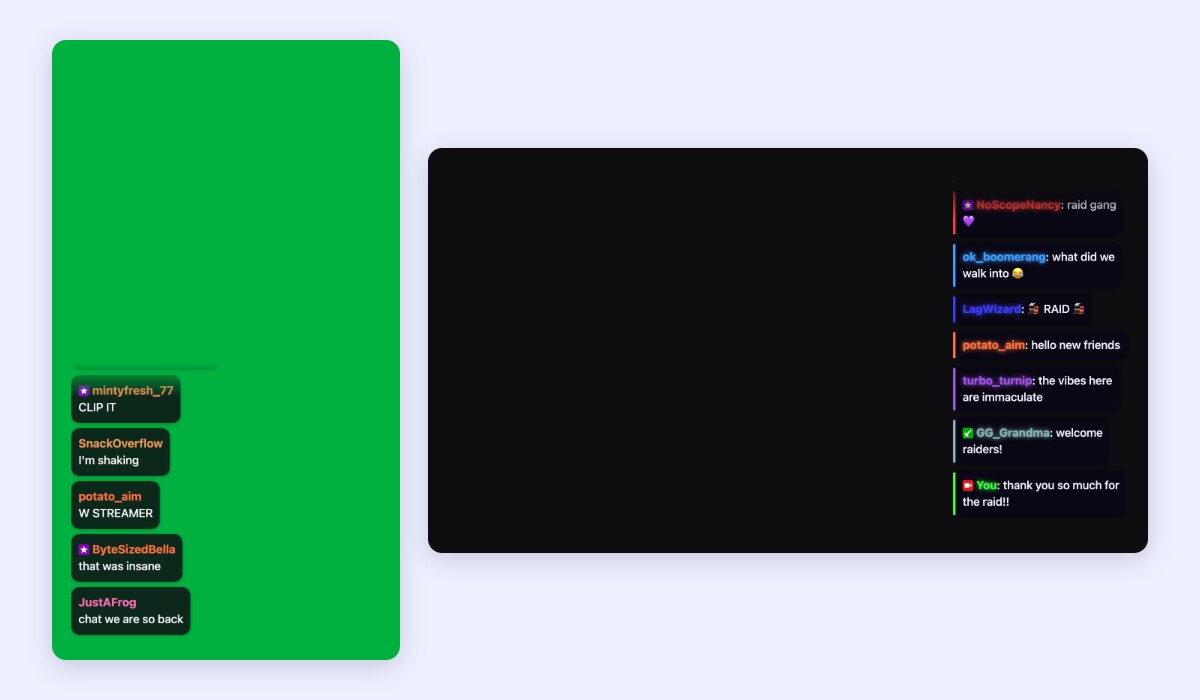
Fake Twitch Chat Generator makes a chat that looks like a live Twitch stream, with the messages you write: the hype after a clutch play, the "F" after a fail, or your friends congratulating you on your birthday. It plays the messages one by one, with coloured names, badges and the newest sliding in at the bottom, and saves the result as a picture or as a video to put over any clip.
Features
- Write it like a script: one message per line as "Name: message", with badges like [mod], [vip], [sub] or [streamer] before the name, and "/me" for actions.
- Ready-made scenes: Clutch play, Epic fail, Cozy stream, Raid and Birthday, to start from and change.
- Six themes from the Twitch Chat Overlay: Classic, Bubbles, Outline, Neon, Light cards and Pixel, with fonts, sizes and animations.
- Any speed, from a slow chat to a flood of messages a second.
- Video sizes for vertical videos (1080 × 1920), landscape videos (1920 × 1080) or the chat alone.
- Backgrounds: a green screen to key out, your own picture or screenshot, a dark background, or a transparent PNG.
How to use Fake Twitch Chat Generator?
- Pick a scene, or write your own messages, one per line.
- Choose a theme and the speed of the chat, and press Play to watch it.
- Choose the size and background of the picture or video.
- Download a PNG, or the video, which plays the chat in real time.
Frequently asked questions
How do I put the fake chat over my video?
Download the video on the green screen background and put it on a layer above your clip in CapCut, Premiere, DaVinci Resolve, iMovie or any editor. Apply the chroma key (or "remove background" or "green screen") effect, and only the chat stays. The vertical size puts the chat in the lower left of a 1080 × 1920 frame, ready for TikTok, Reels and Shorts.
Can I use real Twitch emotes?
The fake chat uses emoji, which every phone and computer can show. Twitch, 7TV and BetterTTV emotes belong to their creators, so they appear only in the live Twitch Chat Overlay, which shows them straight from your channel.
Is it really Twitch?
No. It is our own drawing in the style of a stream chat, for jokes, videos and storytelling, and the tool is not affiliated with Twitch. Please do not use it to pass off fake messages as something real people said.