Text Tools
 Image Tools
 PDF Tools
 Social Media Tools
 Security Tools
 Coding Tools
 CSS Tools
 Color Tools
 Miscellaneous Tools
 Add to Chrome
 Add to Firefox


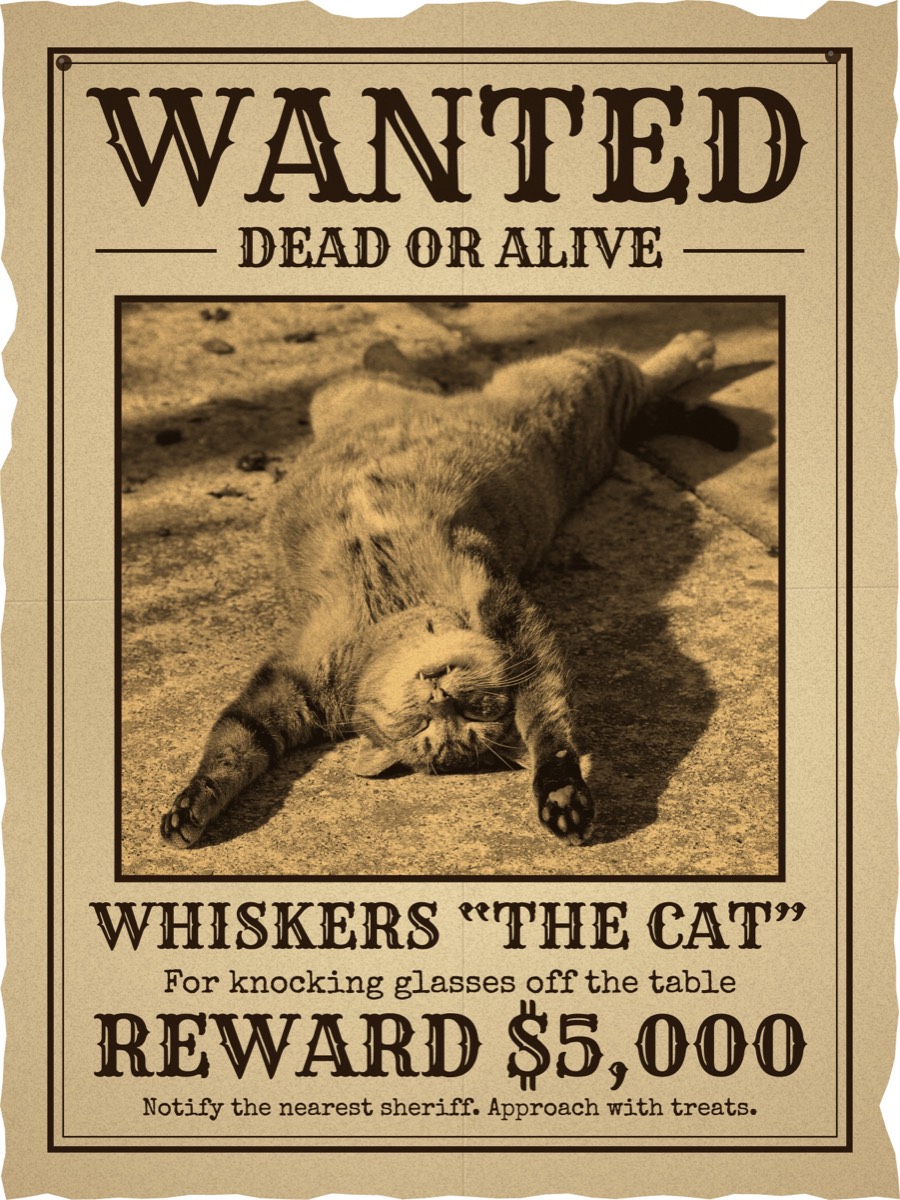
Makes a wanted poster from your photo: western, pirate, police or GTA wanted level, ready to print.
Sample photo: Umberto Salvagnin, CC BY 2.0
Download
Saved 2480 pixels wide, sharp enough to print on A4 or US Letter. The PNG keeps the torn edge see-through; the JPG puts it on white.
What is Wanted Poster Maker?
Wanted Poster Maker turns a photo and a few words into a wanted poster. Choose a photo of a friend, a pet, a teacher or yourself, type who is wanted, what for and how big the reward is, and the poster is drawn as you type: aged paper with stains, folds and torn edges, a sepia photo and old wood type, or as a GTA style wanted level with stars over the photo. Save it as a picture or print it straight from the page. It is made for birthdays, classrooms, party invitations, pranks and memes; the photo never leaves your device.
Four wanted poster templates
- Western: the Old West poster. WANTED, DEAD OR ALIVE, a sepia photo in a frame, the name and the reward in wood type on yellowed paper.
- Pirate bounty: parchment with a large photo, the name in blackletter and a bounty in the hundreds of millions, for pirate parties and anime fans. For the poster of the series itself, with the berry sign, MARINE and a whole crew on a wall, use the One Piece Wanted Poster Maker.
- Police notice: a modern bulletin with a red WANTED band, a black and white booking photo against height lines, and typewritten details.
- GTA wanted level: your photo full size with WANTED in the GTA font, one to five wanted stars and the reward in green, like the wanted level of Grand Theft Auto. It sits beside the GTA Wasted and Mission Passed screens.
What you can change
- Every word: the headline, the line under it, the name, what they are wanted for, the reward and the small print. Clear a field and it leaves the poster.
- The photo: drag it to move it in its frame, zoom in on a face, and choose sepia, black and white, faded or full colour.
- The paper: how worn it is, from freshly printed to carried in a saddlebag for a year, its colour, and a new set of stains and tears in one tap.
- The shape: a 3:4 poster, A4 or US Letter to print, a square for a feed or 9:16 for a story.
How to make a wanted poster
- Choose a style at the top: Western, Pirate bounty, Police notice or GTA wanted level.
- Press Choose Your Photo, or drop or paste a picture onto the poster. Sample photos are there to try first.
- Drag the poster to place the face in the frame, and zoom in if it is small.
- Type the name, what they are wanted for and the reward. The quick lines under the fields are there if you need an idea.
- Choose A4 or US Letter if you will print it, then press Print, or Download for a PNG or JPG.
Ideas for wanted posters
- Birthdays and parties: a poster of the birthday child at the door of a cowboy or pirate party, or one for each guest as a place card.
- Classrooms: a "wanted" character from a book with the crimes they committed, a historical figure, or "Wanted: a student who reads 20 minutes a day".
- Pets: the dog who ate the homework, the cat who clears the shelves.
- Office and friends: whoever keeps taking the last coffee, for the kitchen wall.
- Games and stories: a prop for a tabletop campaign, a scavenger hunt or a school play.
Frequently asked questions
How do I make a GTA wanted poster?
Choose the GTA wanted level style, add your photo and type a name. Open Poster and set Wanted level from one to five stars: the lit stars are white and the rest are dimmed, as on the game's screen. The reward is drawn in the green of in-game money. For the death and mission screens of the same games, use the GTA Wasted Generator and the Mission Passed Generator.
Is it free? Is there a watermark?
It is free, there is no watermark on the poster and no account is needed. You can make as many as you like.
How do I print it?
Set Shape to A4 or US Letter, whichever paper your printer takes, and press Print. In the print window, choose no margins (or "fit to page") and turn off headers and footers. The poster is drawn 2,480 pixels wide, which is 300 dots an inch on A4, so it prints sharp. For a larger poster, download the PNG and take it to a print shop.
Why is the edge of my PNG see-through?
The paper has a torn edge, and the PNG keeps what is outside it transparent so the poster can be laid over a wall, a wooden board or any background in an editor. The JPG puts it on white. Set Wear and age to 0 for a clean, straight edge.
Can I make a poster without a reward, or with different words?
Yes. Every line can be changed or emptied: WANTED can become MISSING, LOST, REWARD or HAVE YOU SEEN THIS CAT, and a cleared field is left off the poster with the rest moving up to fill the space. For a real lost pet or missing person, the Missing Poster Maker is made for the job: tear-off phone tabs, a QR code and a PDF to print.
Is my photo uploaded?
No. The poster is drawn by your browser on your own device, and the photo is not sent anywhere.
Usage Policy
Wanted Poster Maker by 10015.io is for fun, parties, teaching and fiction. Do not use it to accuse, harass or impersonate a real person or a real police force, or to pass a poster off as an official notice. Use photos you have the right to use. 10015.io is not responsible for what is made with it. It is a fan-made tool, not affiliated with or endorsed by Rockstar Games or Take-Two Interactive.