
 Text Tools
 Image Tools
 PDF Tools
 Social Media Tools
 Security Tools
 Coding Tools
 CSS Tools
 Color Tools
 Miscellaneous Tools
 Add to Chrome
 Add to Firefox

Builds a Discord direct message on desktop or mobile with status, replies, reactions and group DMs as an image.
Messages in a row from the same person at the same time are grouped, as in Discord. Use **bold**, *italic*, `code`, ||spoiler|| and @mentions in the text.
What is Online Discord DM Generator?
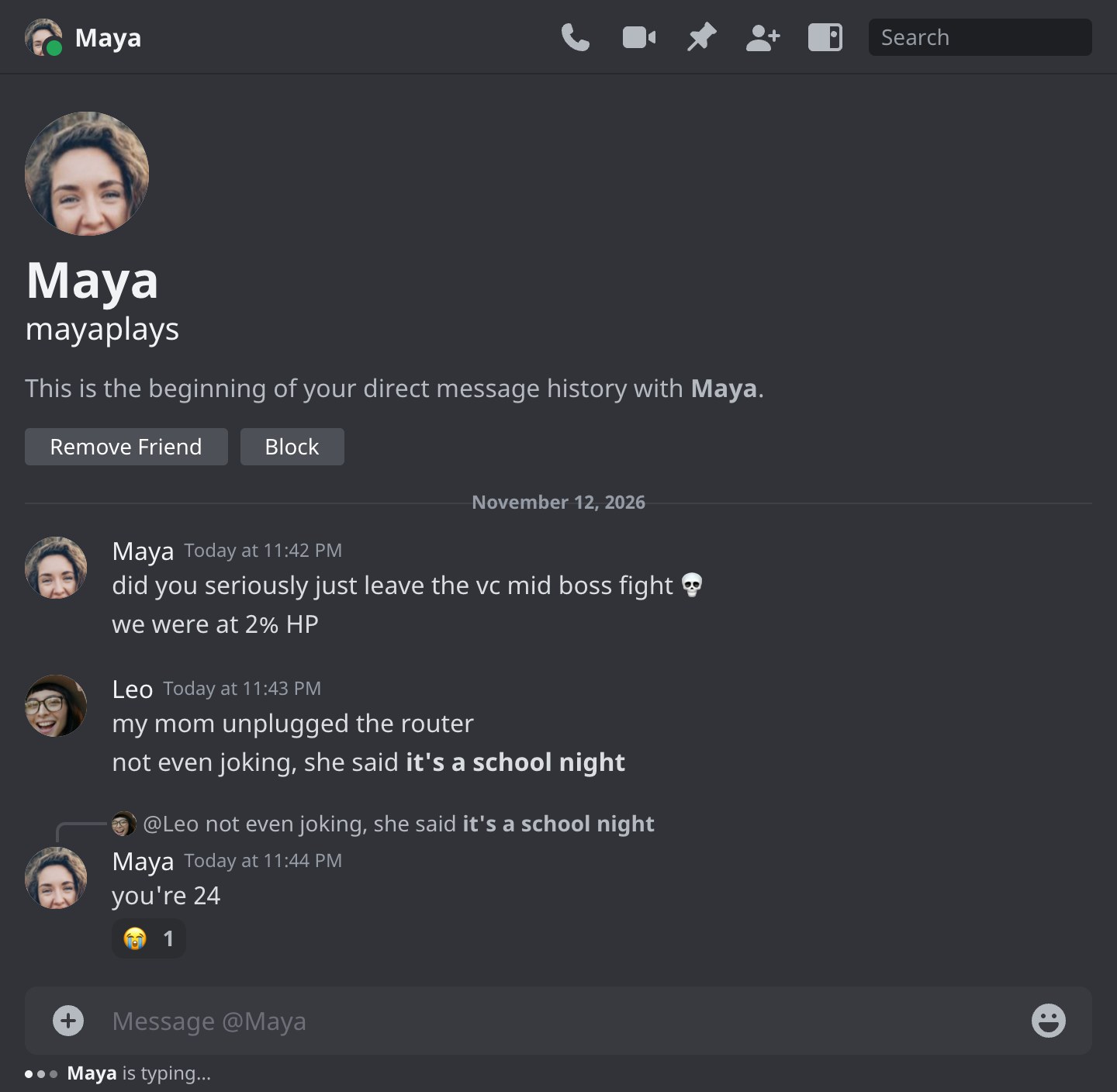
Discord DM Generator is a free tool for making a Discord direct message conversation as an image. It draws a DM the way Discord shows it, either in the desktop app or on an iPhone: the other person's avatar, name and online status at the top, the start of your message history with them, your messages and theirs grouped under each name, and the message box at the bottom. Everything on the screen can be changed, and the result is saved as a PNG.
Desktop or Mobile
Choose the layout under Appearance. Desktop is the conversation column of the Discord app on a computer, 720 pixels wide, with the call, video, pin and search buttons in the header. Mobile is a full iPhone screen (393 × 852 points) with the status bar, a back arrow, the call buttons, the messages settling on the round message box and the home indicator, the way a DM looks when someone screenshots it on their phone.
What You Can Put in the DM
- The other person. Display name, username, avatar and status: online, idle, do not disturb, offline or none.
- The start of the DM. The large avatar and the line "This is the beginning of your direct message history with…", with the Remove Friend and Block buttons, for a screenshot of a brand new conversation.
- Group DMs. Switch the chat type to Group, name it, give it an icon and add members, each with their own name and avatar.
- Replies, reactions and edits. The curved line of a reply, reactions with counts (the one you added outlined in blue), the (edited) label and the yellow highlight of a message that mentions you.
- Discord's markdown.
**bold**,*italic*,`code`,||spoiler||and @mentions, typed the same way as in Discord. - Typing and dates. "… is typing" under the message box, and a date line above any message.
How to use Online Discord DM Generator?
- Under Appearance, pick Desktop or Mobile and the dark or light theme.
- Under Conversation, choose a one-on-one DM or a group, then type the other person's name and username, pick their status and add an avatar.
- Open You to set your own display name and avatar.
- In Messages, write each message and choose who sent it. Give it a time, a date line, reactions, or tick "Reply to previous" and "Edited".
- Use Screen Details for the start of the DM, the typing indicator, the header, the message box and, on mobile, the status bar.
- Press "Export DM Screenshot" to download the image or copy it to the clipboard.
Frequently asked questions
How do I make messages stack under one name?
Discord shows the name and avatar once for a run of messages from the same person. Give the messages the same sender and the same time and they are grouped; a different time, a date line or a reply starts a new group.
Is my DM saved if I close the page?
Yes, in your own browser. The conversation is there when you come back, and "Start Over" clears it. A removed message or a cleared chat can be brought back with Undo for a few seconds. Nothing is uploaded.
What size is the image?
The desktop layout is 720 pixels wide and grows with the conversation. The mobile layout is an iPhone screen, 393 × 852 points, and keeps the latest messages in view like the app. Both are exported at twice their size, so they stay sharp when shared.
Can I make a server channel instead?
Yes, with the Discord Message Generator, which adds role colours, the APP tag and the channel name. For a profile, use the Discord Profile Generator.
Does it connect to my Discord account?
No. There is no login, no bot and nothing is sent to or read from Discord. Avatars you add are only read by your own browser.
Usage Policy
Screenshots of DMs are passed around as proof of what someone said, which is why a forged one can do real harm. By using Discord DM Generator by 10015.io you agree not to fake a conversation with or from a real person, not to present one as real, and not to use one to deceive, harass, threaten or defame anybody. It is meant for mockups, fiction, videos, education and jokes that everyone involved is in on. 10015.io is not affiliated with Discord Inc. and takes no responsibility for what users create.