Text Tools
 Image Tools
 PDF Tools
 Social Media Tools
 Security Tools
 Coding Tools
 CSS Tools
 Color Tools
 Miscellaneous Tools
 Add to Chrome
 Add to Firefox

Recreates the desktop YouTube watch page around your own video frame, title, channel and comments, and exports it as a PNG.
Video
Channel
Description
Comments
Up Next
One video per line: Title | channel | views | time ago | duration
What is Online YouTube Video Page Generator?
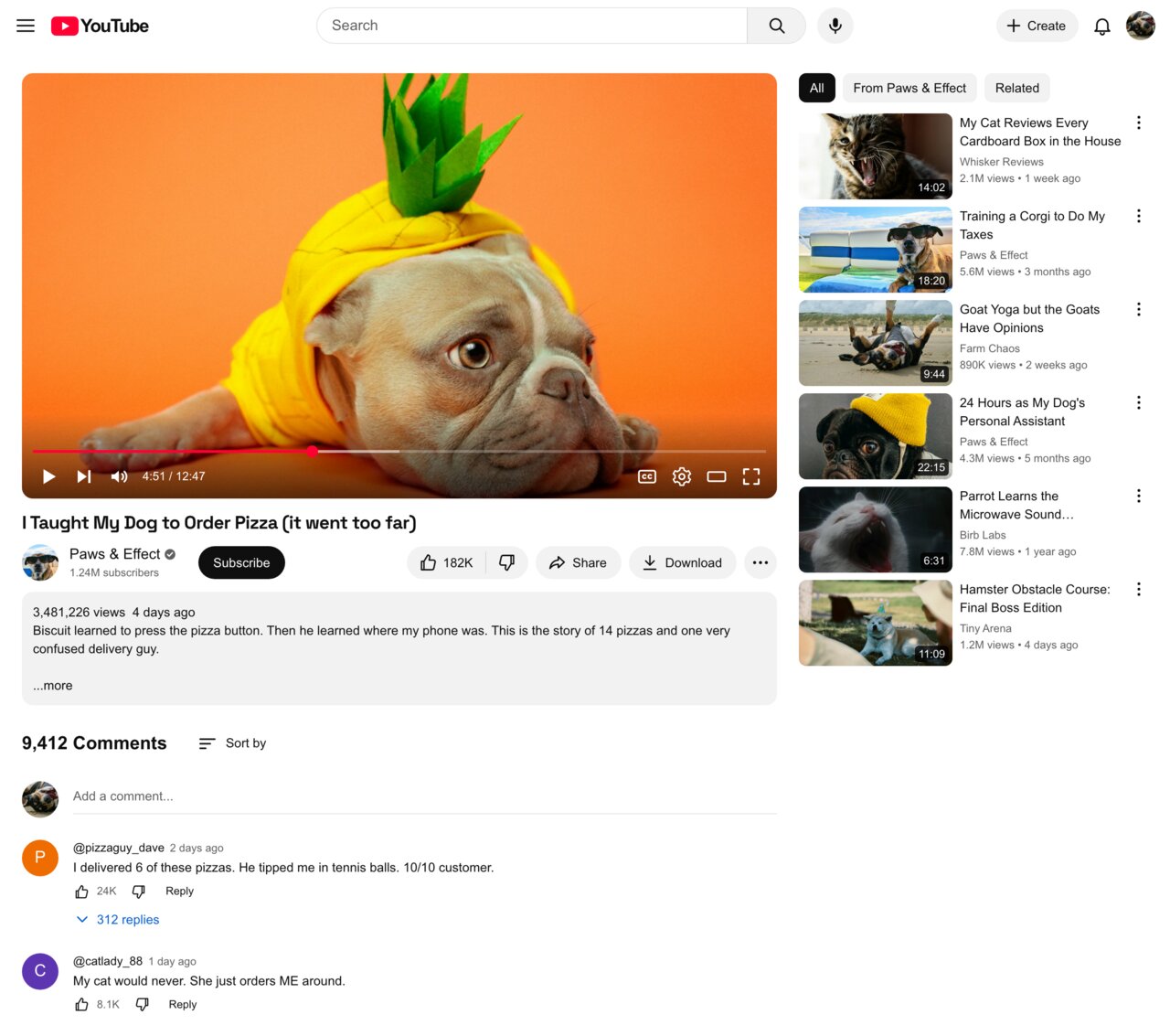
YouTube Video Page Generator is a free mockup of the YouTube watch page on desktop — the page you land on when you click a video. Drop in a frame from your video and it builds everything around it: the search bar at the top, the player with its red progress bar and controls, the title, the channel with its subscriber count and Subscribe button, the like, share and download buttons, the grey description box, the comments section and the column of recommended videos on the right.
It is the quickest way to see a video in context before it exists. YouTubers use it to judge a thumbnail and title side by side with the competition in "Up next", agencies to show a client how a sponsored upload will look, teachers and course creators to build slides, and filmmakers to put a fictional viral video on screen. Everything is drawn in your browser and nothing is uploaded to YouTube.
Test Your Title and Thumbnail Against "Up Next"
The right-hand column is fully editable. Write one recommended video per line in the form Title | channel | views | time ago | duration and upload a thumbnail for each. Put your own upcoming video among them and you get an honest preview of whether it stands out, whether the title is cut after two lines, and whether the duration badge covers anything important.
Comments That Look Real
Add as many comments as you like, each with a handle, time, like count and an optional "replies" link. Tick "Channel Owner" to give a comment the grey name badge YouTube uses when the creator replies. Hashtags, @mentions and links in comments and the description turn blue automatically.
How to use Online YouTube Video Page Generator?
- Write the video title, upload a frame from the video and set the views, date and playback position.
- Fill in the channel name, photo and subscriber count, and choose the verified, subscribed and liked states.
- Write the description, then add the comment count and the comments.
- List the Up next videos and upload their thumbnails.
- Pick light or dark mode and click "Export Page" to download a PNG or copy it.
Frequently asked questions
Can I hide the player controls?
Yes. Untick "Player Controls" to show the frame clean, as when the mouse is away from the player. With them on, the progress bar follows the percentage you enter and the time reads "current / duration".
Is it the mobile or the desktop page?
This is the desktop layout, with the recommendations beside the video. For phone screens, use the YouTube Shorts Generator or the YouTube Channel Generator, which draw the mobile app.
What size is the exported image?
The page is 1280 pixels wide, the width of a typical laptop browser, and is saved at 2×, so the PNG is 2560 pixels wide. The height depends on how many comments and recommended videos you add.
Which image should I use for the player?
A 16:9 frame, like your thumbnail or a still from the video, fills the player exactly. Other shapes are cropped to fit from the centre.
Usage Policy
By using YouTube Video Page Generator by 10015.io you agree not to fake view, like or subscriber numbers to mislead sponsors or buyers, not to imitate a real channel to deceive its audience, and not to present a mockup as proof of what a real video said or showed. Pitches, thumbnail testing, teaching and fiction are what it is for. This tool is not affiliated with YouTube or Google, and 10015.io is not responsible for how the images are used.