Text Tools
 Image Tools
 PDF Tools
 Social Media Tools
 Security Tools
 Coding Tools
 CSS Tools
 Color Tools
 Miscellaneous Tools
 Add to Chrome
 Add to Firefox

Draws a Hinge profile with your photos, three prompts and your details, as one phone screen or the whole scrolling profile.
Profile
Prompts
About
App Screen
What is Online Hinge Profile Generator?
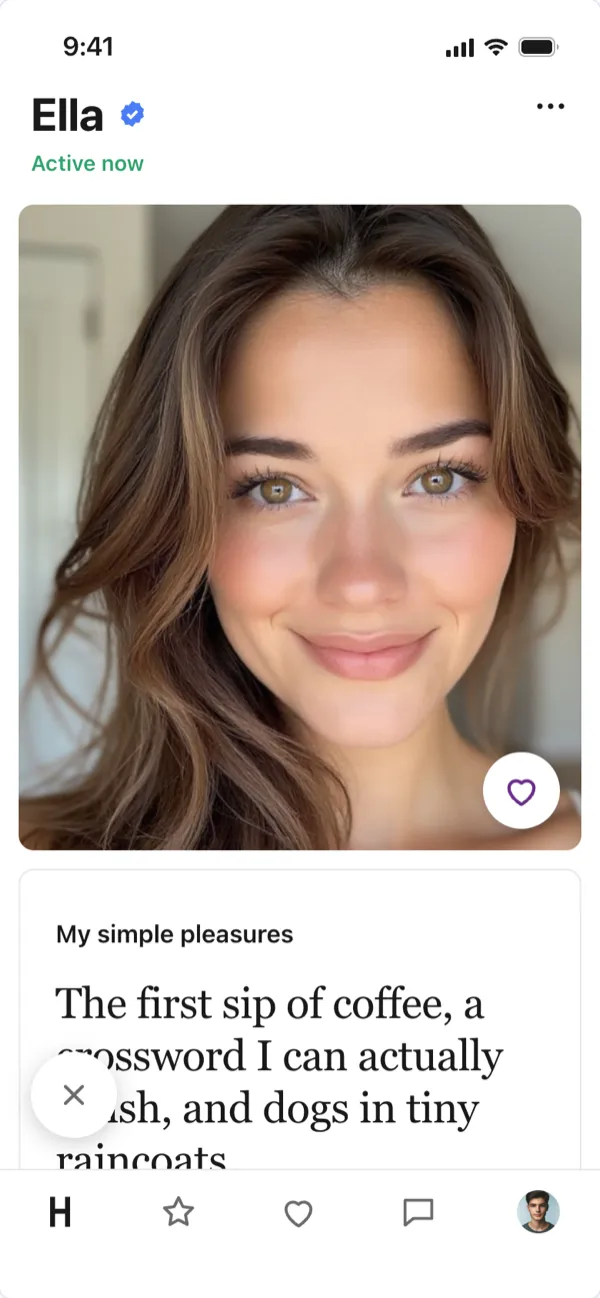
Hinge Profile Generator draws a Hinge profile the way the iPhone app shows it: your name and the verified badge, photos with the heart button, prompt cards with the answer in Hinge's big serif type, and the row of details (age, height, location, job and school). Pick three of Hinge's real prompts, write your answers and download the screenshot.
Test Your Profile Before It Goes Live
The prompts are where a Hinge profile wins or loses a match, and it is hard to judge an answer in the app's small edit box. Here you see it as everyone else will, next to your photos, and can send the screenshot to a friend for an honest opinion before you post.
One Screen or the Whole Profile
Choose "One phone screen" for a normal screenshot, or "Whole profile (long)" for the full scroll, from the first photo to the last, in one tall image. Add a "like with a comment" to show the message someone sent on your photo, the way the Likes You screen does.
How to use Online Hinge Profile Generator?
- Type your name and upload up to six photos; empty slots show a placeholder.
- Pick three prompts from the list and write your answers.
- Fill in your details: age, gender, height, location, job, school and what you are looking for.
- Choose one screen or the whole profile, light or dark, and download the image.
Frequently asked questions
Which Hinge prompts can I use?
The list has two dozen of the prompts people use most, from "My simple pleasures" and "Two truths and a lie" to "We're the same type of weird if" and "The way to win me over is". Answers can be up to 150 characters, as in the app.
Does it connect to my Hinge account?
No. Nothing is sent to Hinge or anywhere else; the profile is drawn in your browser from what you type. Hinge is a trademark of its owner, which is not connected with this tool.
Can I make one for Tinder or Bumble?
Yes: the Tinder Profile Generator makes the swipe card and the "It's a Match!" screen, and the Bumble Profile Generator the Bumble profile with its basics and interests.