Text Tools
 Image Tools
 PDF Tools
 Social Media Tools
 Security Tools
 Coding Tools
 CSS Tools
 Color Tools
 Miscellaneous Tools
 Add to Chrome
 Add to Firefox

Makes a lyrics card from any song, with its cover and colours, as a card or a 9:16 story image.

Song
Lyrics
One line of the song per line. A few lines read best: the type gets smaller as the lyric gets longer.
Look
The card colour comes from the cover; change it if you like.
What is Online Lyrics Card Generator?
Lyrics Card Generator turns the lines of a song into an image to share: the song's cover and name with the lyric in big bold type, in the style music apps use when you share a lyric. Search for the song and the cover is added for you, then write the lines you want to share. Post it to an Instagram or Facebook story, a TikTok, a status, a group chat, or print it for a wall.
Unlike the share button inside a music app, it works for any lyric, including songs whose lyrics the app does not show, lines in a translation of your own, and song lyrics you wrote yourself.
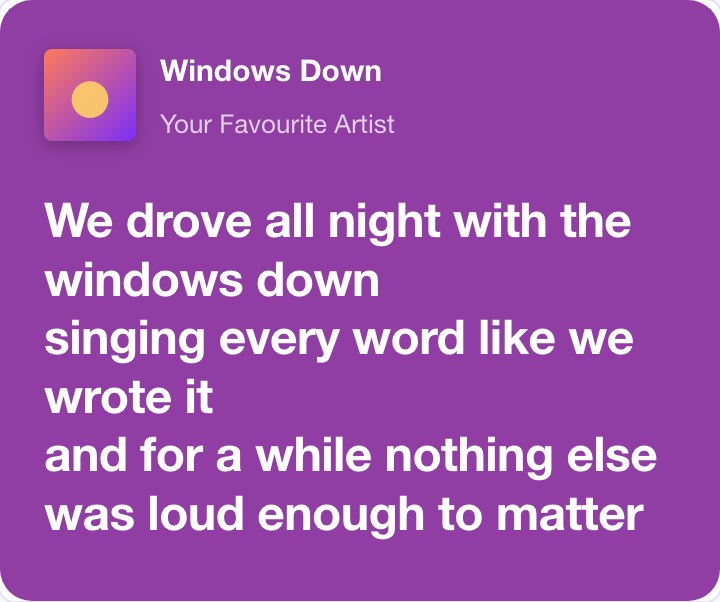
Three Styles
- Colour Card: a block of a colour taken from the cover, with the song at the top, like the lyrics cards of Spotify. You can change the colour.
- Blurred Cover: the cover blurred behind white lyrics, like the full-screen lyrics of Apple Music.
- Highlighted Lines: each line boxed in black over the cover, like the lyric cards on Genius.
Each one comes as a card on its own, or as a 9:16 story with the card on a background from the cover, ready for Instagram Stories, Reels and TikTok.
How to use Online Lyrics Card Generator?
- Search for the song and pick it from the list: the title, artist and cover are filled in. Or type them and upload a cover.
- Write the lines you want to share, one line of the song per line.
- Choose a style and a size, and change the colour if you like.
- Download the card as a PNG, or copy it and paste it straight into a post or a chat.
Frequently asked questions
Where do the covers come from?
The song search uses Apple's public iTunes catalogue, which has the cover of almost every released song. Pick a song and its cover is added at full size. For a song that is not there, or for your own artwork, upload an image instead.
Does it fill in the lyrics?
No. You type or paste the lines yourself, so the card shows exactly the part you want, in your own words or translation if you like. When the song has a page on Genius, a link under the lyrics box opens it, so you can copy the lines from there. Lyrics belong to their writers, so keep it to a few lines for sharing.
How big is the image?
The card is 1080 pixels wide, and the story is 1080 × 1920, the size Instagram and TikTok use, so it stays sharp on a phone.
Is it connected to Spotify, Apple Music or Genius?
No. The styles are inspired by the way those apps share lyrics, but the card carries no logos and the tool is not made by or connected to any of them.
What else can I make?
For stories, the Instagram Story Generator makes whole Instagram stories, and the iPhone Notes App Generator makes notes app screenshots. To find the colours in an image, use the Image Average Color Finder.