Text Tools
 Image Tools
 PDF Tools
 Social Media Tools
 Security Tools
 Coding Tools
 CSS Tools
 Color Tools
 Miscellaneous Tools
 Add to Chrome
 Add to Firefox


Turns your Apple Music data into a Wrapped for any year or all time: minutes, top artists, songs and more.
A made-up year. Upload your Apple Music data to see yours.
Your data
Your data is read on this device and never uploaded.
Wrapped
What is Online Apple Music Wrapped?
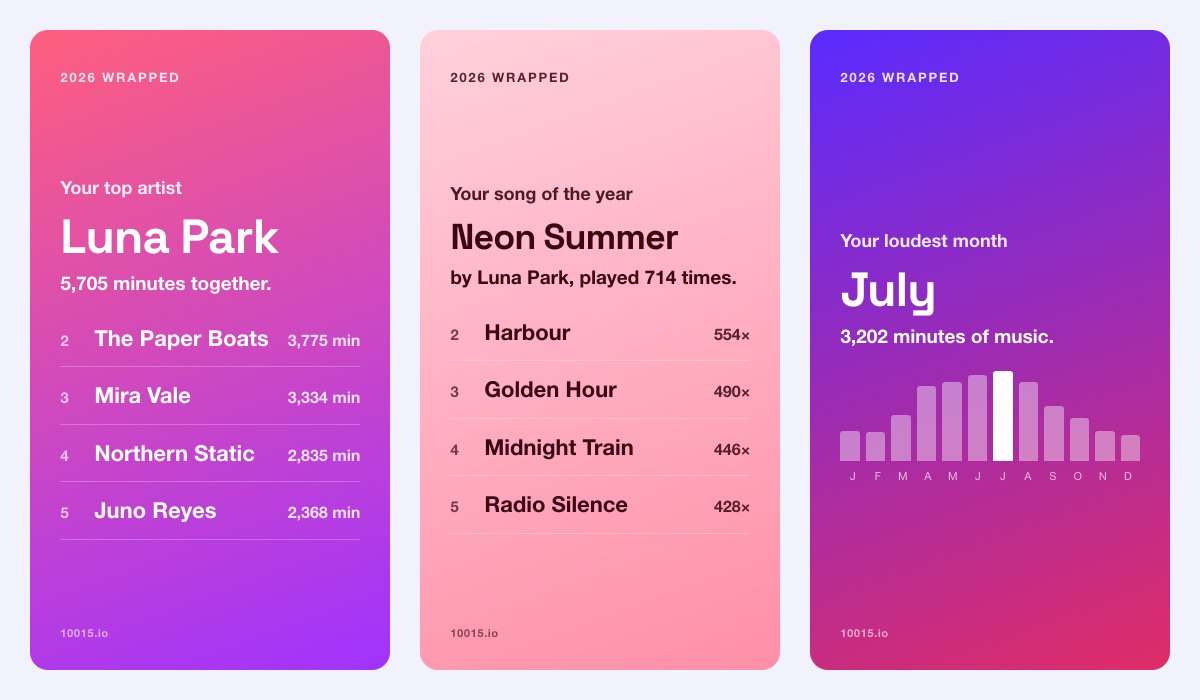
Apple Music Wrapped turns your own Apple Music listening history into a Spotify Wrapped style recap you can see any day of the year: for 2026, for any year since you joined, or for all time. It counts your real minutes, your top artists and songs, your loudest month, the hour you listen most, the artists you discovered, how often you skip, your biggest day and longest streak, and makes each one a 9:16 story card to share.
Apple Music Replay shows your top songs and artists, but not the cards and habits Spotify Wrapped is loved for, and not for the years before Replay began. This one reads the listening history Apple lets you download, in your browser: it is never uploaded or stored.
What Is in Your Wrapped
- Minutes: every minute you listened, in days, with your streams and the days you played anything.
- Top artists and songs: your top five of each, by minutes and by plays.
- Loudest month and hour: your year month by month, and when in the day you listen most.
- How you listen: artists you found that year, how much you skip, your biggest day and longest streak.
How to use Online Apple Music Wrapped?
- Request your data at privacy.apple.com, choosing only Apple Media Services information: the “How do I download my Apple Music data?” button shows every step.
- When Apple emails you, download the .zip and drop it on the page as it is.
- Pick a year, or All time.
- Go through the cards, then download one, download all of them as a ZIP, or copy one to paste in a story.
Frequently asked questions
Which file does it read?
Apple's download has a .zip inside a .zip; drop the whole thing and the tool finds the files in it. It reads "Apple Music - Play History Daily Tracks.csv", which has each song's plays, minutes and artist day by day, and "Apple Music Play Activity.csv", which adds the albums. Either file on its own works too.
Is my listening history uploaded anywhere?
No. The file is opened and counted in your browser, and the cards are drawn there too. Nothing from it is sent to our servers or anywhere else.
Why are my numbers different from Apple Music Replay?
Replay counts in its own way and only from the year it began. This counts every play in your file for the whole year, and a play counts as a stream from 30 seconds. Apple's daily file gives the hours a song was played in, not the minute, so the listening hour is rounded to the hour.
Is it made by Apple?
No. It is an independent tool that reads Apple's standard data download; it is not made by, or connected to, Apple. Print your top songs as a receipt with the Spotify Receipt Generator, which works with Apple Music through Last.fm, or see your Spotify Wrapped too.