Text Tools
 Image Tools
 PDF Tools
 Social Media Tools
 Security Tools
 Coding Tools
 CSS Tools
 Color Tools
 Miscellaneous Tools
 Add to Chrome
 Add to Firefox


Drag guests or students to seats at round tables, long tables or desks, or seat everyone at random with your rules.
Guests 20
Tables 0 seats
Drag a name to a seat (or click a name, then a seat). Drag a seated name onto another to swap them, and a table by its middle to move it.
What is Seating Chart Maker?
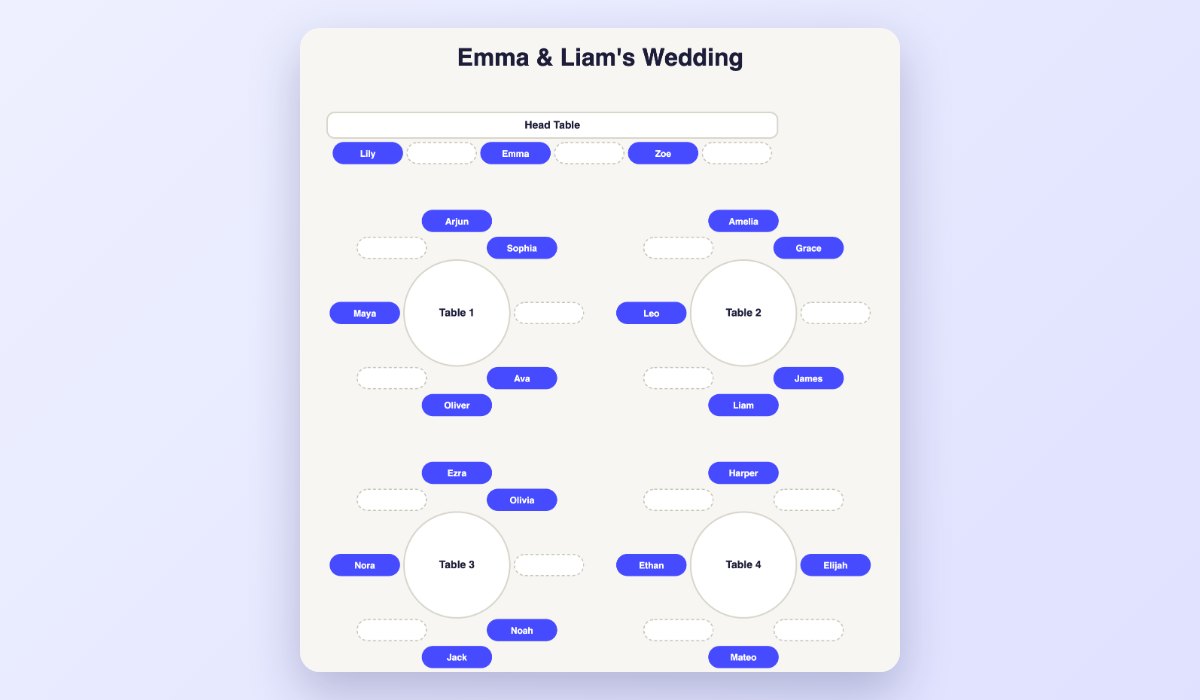
Seating Chart Maker lays out tables and seats and lets you drag names onto them: round tables, long tables, a head table or classroom desks, arranged on a floor plan you can move them around on. Paste the guest list, then seat people by hand, or press Seat Everyone to fill the tables at random in one click.
Seating has rules, so you can add them: keep two people apart (at different tables) or keep a couple or a family together, and the random seating keeps them. Then download the floor plan, print an alphabetical "find your seat" list for the entrance, or copy each table's list.
What You Can Do
- Tables: round, long (seats on both sides) or a row (a head table or a desk), 1 to 24 seats each.
- Ready-made rooms: a wedding, a classroom of desks, a dinner party or an office event.
- Drag and drop names to seats with a mouse or a finger; drop on a taken seat to swap.
- Move the tables around the floor plan, or tidy them into rows.
- Seat Everyone at random, filling tables evenly, with keep-apart and keep-together rules.
- Find-your-seat list: everyone A to Z with their table, ready to print.
- Save: the floor plan as an image, a CSV, or each table as text; your chart stays in your browser.
How to use Seating Chart Maker?
- Paste your guests or students, one per line.
- Pick a ready-made room, or add tables and set their shape and seats.
- Drag names to seats, or press Seat Everyone; add keep-apart or keep-together rules first if you need them.
- Download the chart, print the find-your-seat list, or copy the tables.
Frequently asked questions
How do I make a wedding seating chart?
Start from the Wedding room (a head table and round tables of eight), paste the guest list, and add rules: keep couples and families together, keep people who do not get along apart. Press Seat Everyone for a first draft, then drag names to fine-tune it. Print the find-your-seat list for the entrance.
Can I make a classroom seating chart?
Yes: the Classroom room has desks of two. Paste the class, keep students apart who should not sit together, and seat them at random, or drag them where you want. To split a class into groups instead of seats, use the Random Group Generator.
Is my guest list uploaded?
No. Everything stays in your browser, which keeps your chart for next time. Nothing is sent anywhere and there is no account.