Text Tools
 Image Tools
 PDF Tools
 Social Media Tools
 Security Tools
 Coding Tools
 CSS Tools
 Color Tools
 Miscellaneous Tools
 Add to Chrome
 Add to Firefox


Test your webcam live: real resolution and frame rate, lighting, supported resolutions and snapshots.
Test your webcam
See your camera live with its real resolution and frame rate, check the lighting, find every resolution it supports and take a snapshot. Nothing leaves your device.
What is Online Webcam Test?
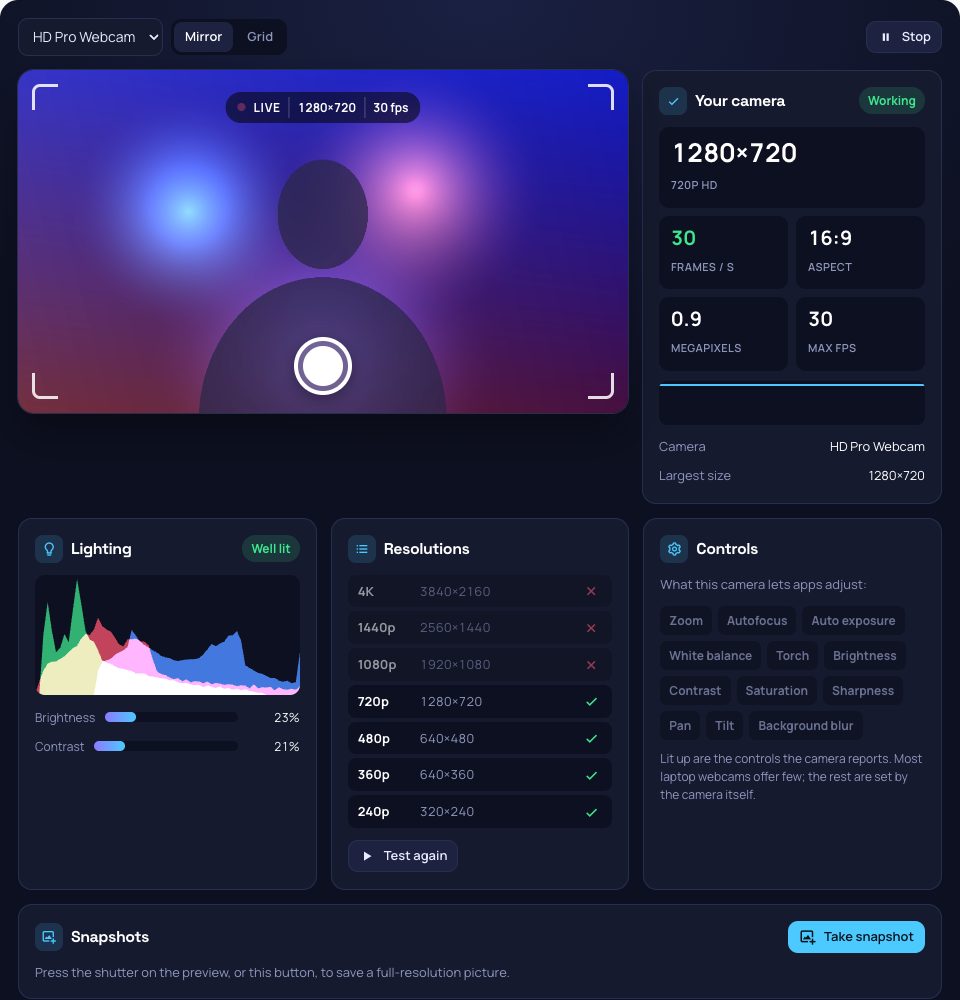
Webcam Test checks that your camera works and shows what it really delivers. Press start, allow access, and the preview opens with the actual resolution and the frame rate the camera is sending, counted frame by frame rather than taken from its label. Below, a histogram and meters tell you whether you are lit well enough for a call, a test lists every resolution from 240p to 4K the camera can do, and you can take full-resolution snapshots. The video stays on your device.
What It Checks
- Resolution and frame rate: the real size of the picture and how many frames a second arrive, with a graph to spot drops.
- Lighting: an RGB histogram with brightness and contrast, and a warning when the picture is too dark or blown out.
- Supported resolutions: tries 4K, 1440p, 1080p, 720p, 480p, 360p and 240p and marks the ones the camera accepts.
- Controls: zoom, focus, exposure, white balance and the other settings the camera lets apps change.
- Snapshots: take pictures at full resolution and save them as PNG, mirrored or not.
- Mirror and grid: flip the preview, and lay a rule-of-thirds grid over it to frame yourself.
How to use Online Webcam Test?
- Press "Start webcam test" and allow access to the camera.
- Choose the camera if you have more than one.
- Read the resolution, frame rate and lighting, and run the resolution test.
- Take a snapshot to keep a picture.
Frequently asked questions
Why is my webcam not working?
Check that the browser may use the camera (the icon in the address bar) and, on Windows and macOS, in the system's privacy settings. If the page says the camera is busy, close video call apps that may hold it. Some laptops have a privacy shutter or a key that turns the camera off.
Why is the frame rate lower than 30?
In dim light many webcams lengthen each exposure and drop to 15 fps or less. Turn on a light facing you and the frame rate usually climbs back to 30. A busy USB port or a high resolution on an older camera can also slow it down.
Is my video recorded or uploaded?
No. The picture is shown and analysed in your browser only. Snapshots stay on this page until you download them.