Text Tools
 Image Tools
 PDF Tools
 Social Media Tools
 Security Tools
 Coding Tools
 CSS Tools
 Color Tools
 Miscellaneous Tools
 Add to Chrome
 Add to Firefox

Turns a photo into string art: the order to wind one thread around a ring of nails, with a nail template and a step-by-step guide.
Working out the lines… 0 of 4,000
Wind It Step by Step
Tie the thread to nail 1 at the top, then follow the steps. The current line is red.
Crop close: a face or an object that fills the circle works best.
Nails 4.9 mm apart · about 0 m of thread.
Download
What is Online String Art Generator?
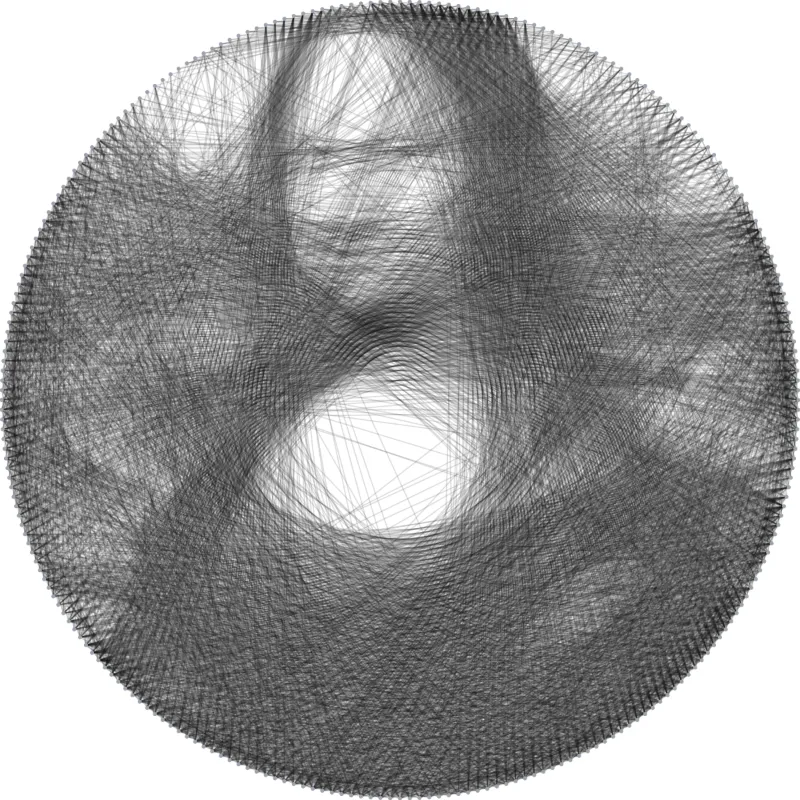
In thread art, a single black thread is wound from nail to nail around a ring, thousands of times, and the crossings build up a portrait. String Art Generator works out that winding from your photo: which nail to go to next, step after step, and shows the picture forming as it does.
How the Lines Are Chosen
From the current nail, every straight line to another nail is scored by how much of the photo's darkness it still crosses. The darkest line wins, the photo is lightened a little along it, and the thread moves on. Thousands of these light passes build up the shading of a face, and it stops early only when nothing is left to darken.
From Screen to Wall
The PDF has a nail template (printed 18 cm across) and the full winding order. For a bigger piece, enter your ring diameter: the tool gives the spacing between nails and roughly how much thread you need. While winding, the step player shows each move, with the current line in red.
How to use Online String Art Generator?
- Upload a photo: a face or an object on a plain, light background works best.
- Choose the number of nails and lines, the thread and the contrast.
- Download the template and the steps, and hammer the nails around a ring.
- Tie the thread to nail 1 and follow the steps, or the step player, to the end.
Frequently asked questions
How many nails and lines should I use?
256 nails and 3,000 to 5,000 lines suit a 40 to 60 cm portrait. More nails give finer detail but take longer to wind; fewer lines make a lighter, more graphic picture.
Why did it stop before the number of lines I chose?
It stops once no line would add any darkness the photo still needs, which happens with mostly light pictures. Lower the contrast, or crop tighter around a darker subject, for more lines.
Which photos work best?
High-contrast photos of a single subject, cropped close, on a light background. Busy scenes turn into grey. For colourful photos, the Paint by Numbers Generator or the LEGO Mosaic Maker suit them better.