Text Tools
 Image Tools
 PDF Tools
 Social Media Tools
 Security Tools
 Coding Tools
 CSS Tools
 Color Tools
 Miscellaneous Tools
 Add to Chrome
 Add to Firefox

A big scoreboard for game nights, quizzes, classrooms and sports: teams, rounds, a target score and a clock, full screen.
Teams & players
Rules
Keys: 1–2 add a point to that team, Shift takes one off, Space starts the clock, Ctrl+Z undoes.
Rounds
| Round | Team Blue | Team Red |
|---|---|---|
| 1 | – | – |
| Total | 0 | 0 |
What is Online Scoreboard?
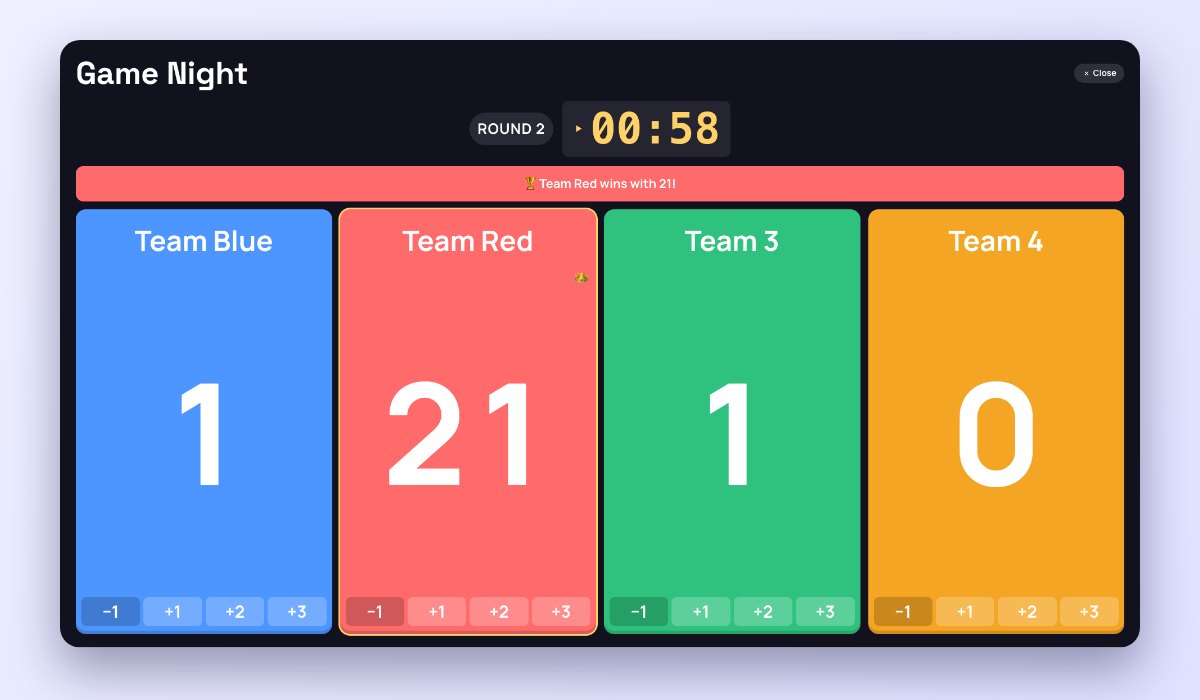
Online Scoreboard keeps score for any game, on a scoreboard big enough to read across the room: name the teams or players, tap a score to add a point, and the leader gets a crown. It works for board and card games, a quiz night, a classroom competition, ping-pong or a backyard game, and it remembers the game if you close the page.
Add rounds to see who scored what in each one, set a target score to call the winner, start a game clock that beeps at zero, and press Present to put the board full screen on a TV or a projector.
What You Can Do
- 1 to 12 teams or players, each with a name and a colour.
- Score buttons: +1, or +1/+2/+3 for basketball, +1/+5/+10, or +10/+50/+100, and a minus.
- Rounds: move to the next round and see every round in a table with the totals.
- Play to a score (11, 21, 100…) and the winner is announced.
- Game clock that counts down and beeps at zero.
- Keyboard: 1–9 add a point to that team, Shift takes one off, Space runs the clock.
- Present full screen, leader first if you like, and undo any point.
- Download the final standings as an image to share.
How to use Online Scoreboard?
- Name the game and the teams or players, and add more if you need them.
- Choose the score buttons, a target score and a clock, if you want them.
- Tap a score (or press its number key) to add points; use Next Round between rounds.
- Press Present for a full-screen board, and download the standings at the end.
Frequently asked questions
Can I show the scoreboard on a TV?
Yes: open the page on a laptop connected to the TV or projector and press Present. The scores, the round and the clock fill the screen, and you can still add points with the keyboard. To share the screen on a video call, present this tab.
Is the score saved if I close the page?
Yes. The game is kept in your browser, so you can close the tab and pick up where you left off on the same device. Reset scores starts a new game with the same teams.
Can I use it for a tournament?
For one game, yes. For a whole tournament, draw the matches with the Bracket Maker, and split players into fair teams first with the Random Group Generator.