Text Tools
 Image Tools
 PDF Tools
 Social Media Tools
 Security Tools
 Coding Tools
 CSS Tools
 Color Tools
 Miscellaneous Tools
 Add to Chrome
 Add to Firefox

Type real code in seven languages, with indentation handled for you, and see how you do on brackets and symbols.
What is this Code Typing Test?
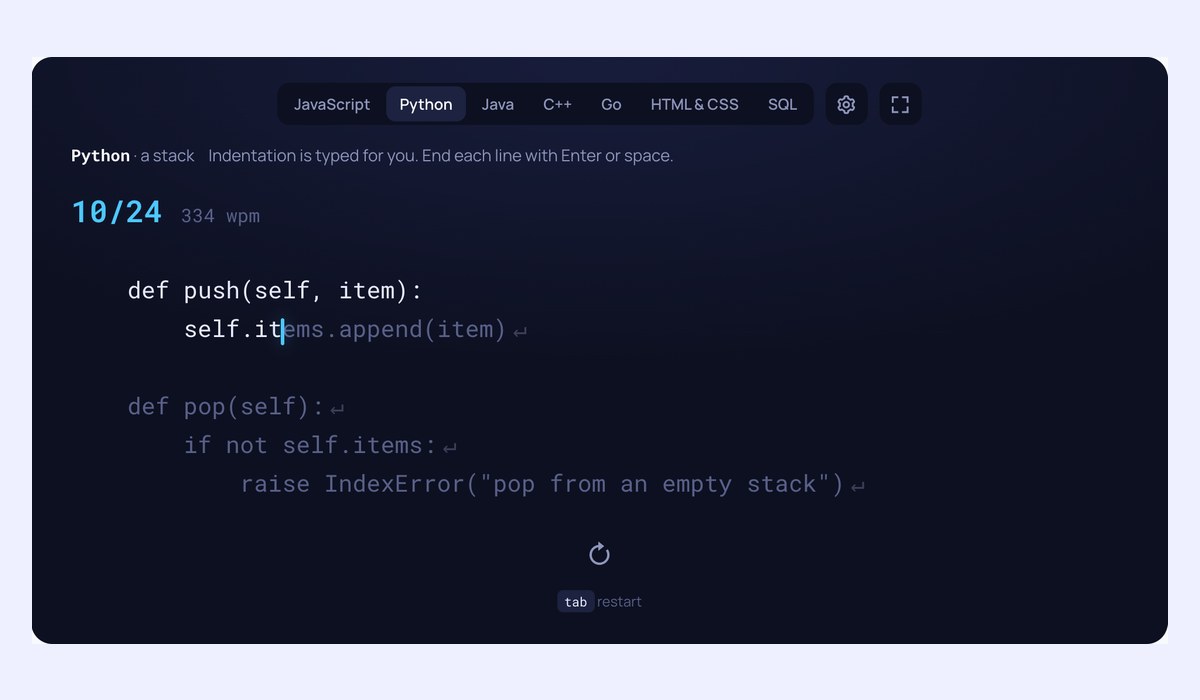
A code typing test for programmers. Instead of plain words, you type short pieces of real code, line by line, in JavaScript, Python, Java, C++, Go, HTML and CSS, or SQL. Indentation is laid out for you and skipped, the way an editor would, and each line ends with Enter or space. The result shows your speed and accuracy, and splits your accuracy into letters, numbers and symbols, with the brackets, quotes and operators you missed.
Made for code
- Real code: functions, classes, queries and styles you would write any day, written for this page.
- Indentation handled: lines keep their indentation on screen, and you never type it.
- Enter at the end of a line: or space, whichever your hands prefer.
- Symbols counted: accuracy on letters, numbers and symbols, and the symbols that tripped you.
- More of the code in view: seven lines at a time, so you can read ahead as in an editor.
How to use the Code Typing Test
- Pick a language at the top.
- Type the code: the clock starts with your first key.
- Press Enter or space at the end of each line; the next line’s indentation is done for you.
- See your speed, your accuracy on symbols, and try another snippet with Tab.
Why is typing code slower?
Code is full of characters that ordinary text rarely uses: brackets, braces, quotes, semicolons, operators. Most of them need Shift or a stretch to the edge of the keyboard, and they come in pairs that must match. That is why most programmers type code well below their speed on prose, and why the symbols are worth practising on their own. Speed in code matters less than accuracy: a missing bracket costs far more than a slow one.
Frequently asked questions
Does typing speed matter for programmers?
Programming is mostly thinking, but typing without effort keeps you in the flow and makes it cheaper to try an idea, rename a variable or write a test. Being able to type symbols without looking is where most of the gain lies.
Is the speed comparable with a normal typing test?
It is worked out the same way, five characters to a word, but code is harder to type, so expect a lower number. Compare code results with code results. For prose, take the Typing Test.
Is my data sent anywhere?
No. The test runs in your browser and your results stay in it. To practise the keys you miss, try Typing Practice.