Text Tools
 Image Tools
 PDF Tools
 Social Media Tools
 Security Tools
 Coding Tools
 CSS Tools
 Color Tools
 Miscellaneous Tools
 Add to Chrome
 Add to Firefox


Turns a photo into ASCII art you can copy as text or save as a PNG, SVG or web page, in plain, coloured, braille and block styles.
A video? Video to ASCII Art converts every frame, with the sound.
What is Image to ASCII Art?
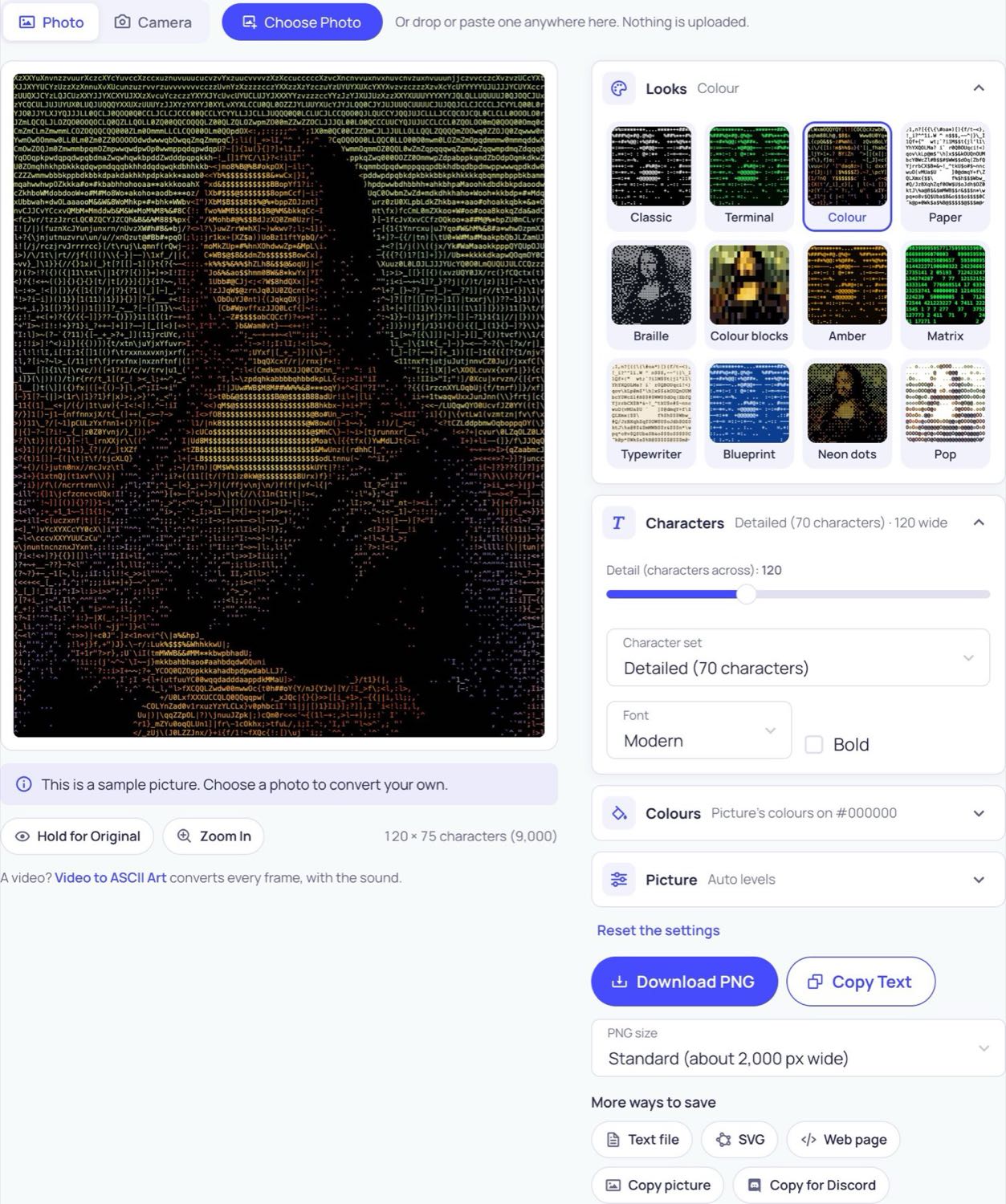
Image to ASCII Art redraws a picture with text characters: a dark part of the photo becomes a dot or a space, a bright part an @ or a #, and from a step back the characters read as the picture. Add a photo (or turn on the camera), pick a look, and the result is drawn live as you move the sliders. You can copy it as text to paste into a chat, a README or a comment, or save it as a PNG, an SVG, a text file or a web page. The photo is read by your own browser and is never uploaded.
What makes it different
- Twelve looks in one tap: white on black, green terminal, amber screen, paper, typewriter, blueprint, colour, colour blocks, braille and more, each shown on your own picture before you choose it.
- Colour ASCII art: every character can take the colour of the part of the photo it stands for, or the whole picture can be one colour you pick, on any background.
- Braille dot art: each braille character holds eight dots, so the same width of text carries much more detail. This is the kind of text art people paste into Discord, Twitch and Steam.
- Your own characters: type a name, a word or any symbols and the picture is drawn with only those, sorted by how heavy each one is.
- Detail from 20 to 300 characters across, with brightness, contrast, edge detail, dithering and invert to get a clean result from a flat photo.
- Copy for Discord: one button makes the art as large as fits in a 2,000 character message and wraps it in a code block, so it lines up.
- Sharp at any size: the PNG is drawn again at up to 8,000 pixels wide for printing, and the SVG keeps real text.
How to turn an image into ASCII art
- Press Choose Photo, or drop or paste a picture onto the page. A sample portrait is there to try first.
- Tap a look, such as Classic, Colour or Braille.
- Move Detail: fewer characters for a chunky picture that fits in a message, more for a fine one to save as an image.
- Open Picture and raise Contrast or Edge detail if the result looks flat.
- Press Copy Text to paste it somewhere, or Download PNG to save it as an image.
Getting a good result
- A picture with one clear subject and a plain background works best: a face, a pet, a logo, a silhouette.
- For text you will paste, keep it under about 80 characters wide so it does not wrap on a phone.
- If you will paste it on a white page, choose the Paper look: on a light background the dark parts of the photo have to be the heavy characters.
- Braille and the few-character sets (Blocks, Minimal, Binary) look better with dithering turned on.
Frequently asked questions
Why does my pasted ASCII art look broken?
ASCII art only lines up in a fixed-width (monospace) font, where every character is as wide as the next. Paste it into a code block, a terminal, a plain text editor or a field that uses such a font. In Discord, put it between three backticks, which Copy for Discord does for you. If lines wrap, lower Detail so each line is shorter.
Can I copy the colours with the text?
Plain text has no colour: it takes the colour of the place you paste it into. To keep the colours, save the PNG or SVG, or save the web page, which holds the art as real coloured text you can open in a browser.
What is braille ASCII art?
It is text art made of the braille characters of Unicode. Each one is a small grid of two by four dots, and any of the eight can be on, so one character draws eight points of the picture instead of one. Strictly it is Unicode art rather than ASCII, but it is copied and pasted the same way and works in most apps.
How many characters wide should it be?
For a chat message, 30 to 60. For a README or a forum post, 60 to 100. For an image to save or print, 120 to 300. The count of characters is shown under the picture as you move the slider.
Which picture formats can I use?
JPG, PNG, WebP, GIF (its first frame), BMP and, in Safari, HEIC. A PNG with a transparent background keeps its empty parts empty. For a moving picture, use Video to ASCII Art.
Is my photo uploaded?
No. The picture is opened and turned into characters by your browser on your own device, and the camera picture never leaves it either.
Usage Policy
Use Image to ASCII Art by 10015.io on pictures you have the right to use. 10015.io is not responsible for what is made with it.