Text Tools
 Image Tools
 PDF Tools
 Social Media Tools
 Security Tools
 Coding Tools
 CSS Tools
 Color Tools
 Miscellaneous Tools
 Add to Chrome
 Add to Firefox

Gives your photos the look of 2016, ten years ago: the filters, the camera and the frames of the time, or a 2016 vs 2026 post.
Drag your image here, or click to browse
Your photos stay in your browser: nothing is uploaded. Add several to do them all at once.
Found it useful? or .
What is 10 Year Challenge Filter?
10 Year Challenge Filter gives your photos the look they would have had ten years ago, in 2016: the Instagram filters everyone used, from Valencia to X-Pro II, the bright, overexposed Snapchat selfie, the softer picture of a phone camera of the time, and the frames you posted them in, from the square crop to a Snapchat caption bar.
It is made for the “2026 is the new 2016” trend and the 10 year challenge: put a photo of today next to its 2016 version, labelled with both years, in one picture to share. Every photo stays in your browser; add several and save them all at once.
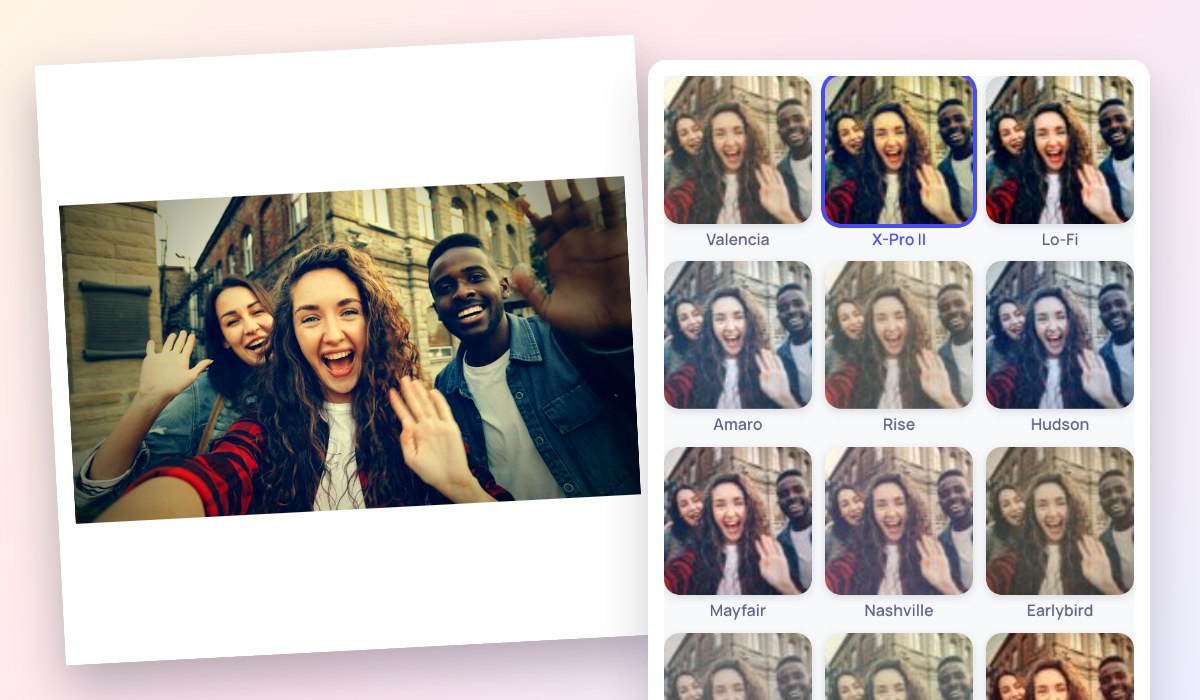
A selfie with the X-Pro II filter of 2016 in a white square frame, beside the classic filters shown on the same photo
What You Can Do
- 15 looks of the time: Valencia, X-Pro II, Lo-Fi, Amaro, Rise, Hudson, Mayfair, Nashville, Earlybird, Sierra, Walden, Toaster, Kelvin, Inkwell, the bright Snapchat selfie, or none, each shown on your own photo.
- Strength from a hint of the filter to the full look.
- The camera of the time: a phone of ten years ago or an old front camera, softer, noisier and lower in resolution.
- Frames: the square Instagram crop, the white square of no-crop apps, a Snapchat caption bar with your text, or 2016 vs 2026 side by side.
- Many photos at once, saved one by one or together in a ZIP; nothing is uploaded.
How to use 10 Year Challenge Filter?
- Add one or more photos, or try the sample.
- Pick a filter of 2016 and set its strength.
- Choose the camera and a frame, or 2016 vs 2026.
- Download the photo, or all of them as a ZIP.
Frequently asked questions
What is the “2026 is the new 2016” trend?
A wave of nostalgia for the internet of ten years ago: people share photos and videos in the style of 2016, with its filters, its music and its fashion, and set them next to how things look now. It follows the 10 year challenge, where a photo of today is posted beside one from a decade before.
Which filters did everyone use in 2016?
On Instagram, warm and faded Valencia was among the most used of all, with Lo-Fi and X-Pro II for punchy colour, Rise and Mayfair for faces, Nashville, Earlybird and Toaster for a vintage look, and Inkwell for black and white. On Snapchat, selfies were bright and smooth, often with a caption bar across the middle.
Are these the original Instagram filters?
They are our own recreations of the looks, built from their colours, contrast and vignettes, not Instagram's code, so they come close without being identical. For today's Instagram filters see Instagram Filters, and for older film looks the Disposable Camera Filter and the Digicam Filter.
Similar Image Tools
See All