Text Tools
 Image Tools
 PDF Tools
 Social Media Tools
 Security Tools
 Coding Tools
 CSS Tools
 Color Tools
 Miscellaneous Tools
 Add to Chrome
 Add to Firefox


Paste JSON and get it formatted as you type: indentation, key sorting, minify, a tree view with paths, and one-click repair of broken JSON.
Your JSON is formatted in your browser and never leaves your device.
What is JSON Formatter?
JSON Formatter turns JSON into clean, readable code the moment you paste it: every object and array on its own lines, indented the way you like, with line numbers, syntax colours and folding. It also works the other way, minifying JSON to a single line for an API call or a config value.
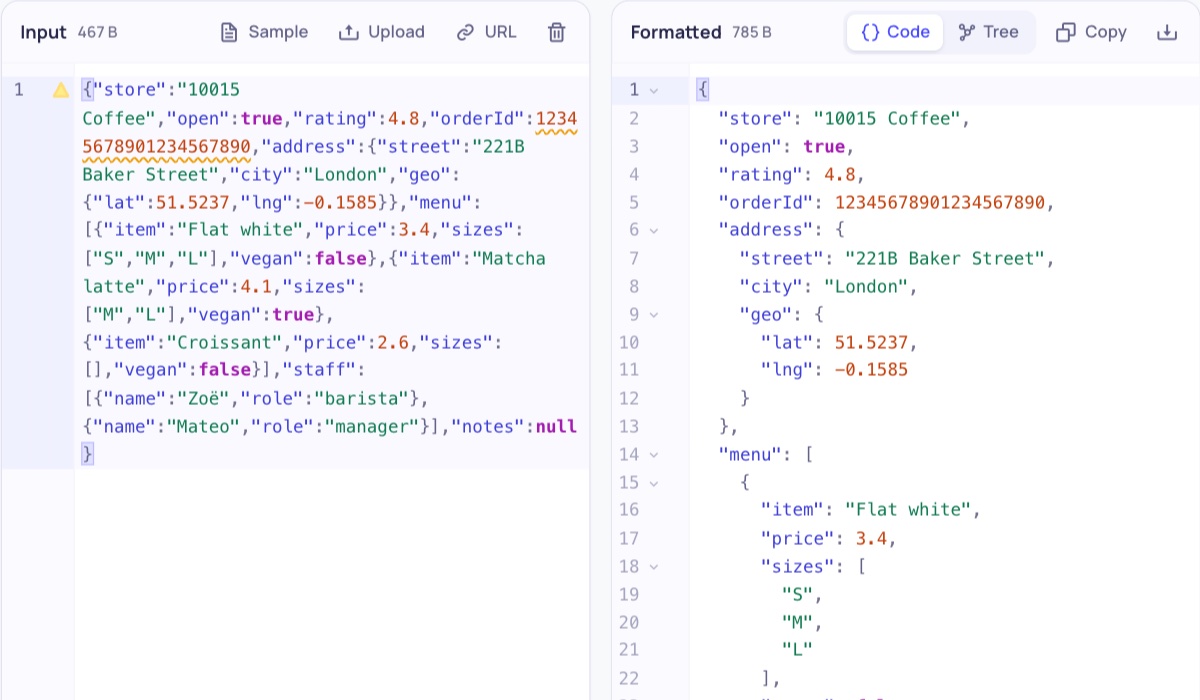
Unlike most formatters, it does not give up on broken JSON. A missing comma, a trailing comma, single quotes, unquoted keys, comments, Python's True and None: it shows each problem in the text and can repair them all with one click. And it never rounds big numbers: an ID like 12345678901234567890 stays exactly as it was, where JSON.parse and many formatters quietly change it to 12345678901234567000.
What You Can Do
- Format as you type with 2, 3 or 4 spaces or tabs, or minify to one line.
- Sort keys A to Z or Z to A (natural order, so item2 comes before item10), at every level.
- Repair broken JSON: missing or extra commas, single quotes, unquoted keys, comments, trailing commas, NaN, undefined, True/False/None and unclosed brackets.
- Tree view: open and close objects, find any key or value, and copy the path of a value as JSONPath ($.users[0].email) or JavaScript.
- Exact numbers: big integers and long decimals are kept digit for digit.
- Short arrays on one line and escape non-ASCII characters as \u codes.
- Open a file (drag and drop works), load a URL, then copy or download the result.
- Big files: tens of megabytes, with search (Ctrl/Cmd + F) and folding in the editor.
- Private: everything happens in your browser; nothing is uploaded.
How to use JSON Formatter?
- Paste your JSON on the left, drop a .json file on it, or load it from a URL.
- The formatted JSON appears on the right. Choose the indentation, the key order and the other options above.
- If the JSON has mistakes, they are underlined and listed under the input: press Repair to fix them.
- Switch to Tree to explore the data, then copy the result or download it as a .json file.
Frequently asked questions
Is my JSON safe here?
Yes. The JSON is formatted by your own browser and is never sent to a server, so you can paste API responses, tokens or customer data. The last input is kept only in this browser so it is still there when you come back.
What is the difference between formatting and minifying JSON?
Formatting (also called beautifying or pretty printing) adds line breaks and indentation so people can read the JSON. Minifying removes all of that space so the JSON is as small as possible for sending or storing. Both contain exactly the same data.
Why does my JSON say it is invalid?
JSON is stricter than JavaScript: keys and strings need double quotes, there can be no comma after the last item, no comments, and only true, false and null as words. The formatter points at the exact line and column of each mistake and explains it. To check a file in detail, or against a JSON Schema, use the JSON Validator.
Can it repair any broken JSON?
It repairs the mistakes people and programs usually make: missing or doubled commas, trailing commas, single or curly quotes, unquoted keys and values, comments, Python and JavaScript words (True, None, undefined, NaN), numbers like .5 or 0x1F, and brackets that are never closed. Check the repaired JSON before you use it, since a repair is a best guess of what was meant.
Why do big numbers change in other formatters?
JavaScript stores every number as a double, which can only hold whole numbers exactly up to 9,007,199,254,740,991. Formatters that use JSON.parse round anything bigger, so IDs from Twitter, Discord or databases come out wrong. This formatter reads the numbers as text and writes them back unchanged, and warns you when a number is too big for most programs.