Text Tools
 Image Tools
 PDF Tools
 Social Media Tools
 Security Tools
 Coding Tools
 CSS Tools
 Color Tools
 Miscellaneous Tools
 Add to Chrome
 Add to Firefox

A checkbox in disguise: the :checked selector slides the knob, so the toggle needs no JavaScript at all.
What is Online CSS Switch Generator?
CSS Switch Generator is a free online tool for creating CSS toggle switches that you can use in your websites and apps. If you have ever tried to style a checkbox to look like a toggle switch, you know it is not fun at all. There is a lot of CSS trickery involved — hiding the actual checkbox, styling the label, using :checked pseudo-class, dealing with transitions. This tool does all of that for you so you just pick a style, set your colors and size, and copy the code.
Toggle switches are basically everywhere now. Every settings page, every dark mode button, every notification preference uses them instead of plain checkboxes. And for good reason — they are easier to understand at a glance. You can immediately see if something is on or off just by the position of the knob, which is not always obvious with a regular checkbox.
The best part is that all switches generated by this tool are pure CSS. No JavaScript needed. This means they are lightweight, they load fast, and they won't break if JS fails to load for whatever reason. Under the hood, the actual HTML checkbox element is still there, so forms work normally and screen readers can still pick it up.
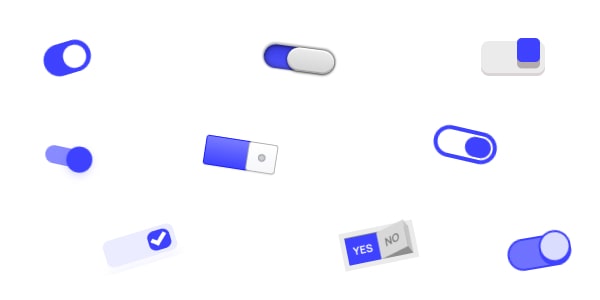
Here are some of the switch styles you can create with this tool:
- iOS-style: The clean minimal toggle that Apple uses. Probably the most recognizable switch design out there.
- Material Design: Google's version with the slightly different knob and track proportions.
- Neon Glow: Switches with a glow effect. Works well on dark backgrounds or gaming-related sites.
- Minimal: Super simple toggles for when you want something that blends in without drawing too much attention.
- Skeuomorphic: The ones with 3D effects and shadows. They look like physical switches which some people still prefer.
You can customize the colors and size of each style to match your project. If you are using specific brand colors, just set them in the editor and the generated CSS will use those values.
These switches work well in all modern browsers — Chrome, Firefox, Safari, Edge. In older browsers that don't support some CSS properties, they fall back to a regular checkbox, so nothing breaks.
One thing worth mentioning: these are especially useful on mobile. A toggle switch gives users a much bigger tap target compared to a tiny checkbox. This alone makes your forms more usable on phones and tablets.
How to use Online CSS Switch Generator?
Creating toggle switches with this tool is pretty straightforward.
- Browse through the available switch styles and pick one that fits your design.
- Customize the colors, size, and other options using the editor. You can see the changes in real time.
- When you are happy with how it looks, click the code button to get the HTML and CSS. Copy it and paste it into your project.
The generated code is self-contained. You can drop it into any existing CSS file or use it inline. Class names are scoped so they should not conflict with your other styles.
Frequently asked questions
How is a switch built in CSS?
As a checkbox in disguise. The real input is hidden, a track and a knob are drawn in its place, and the :checked selector slides the knob across. Fiddly to write from scratch, trivial to paste.
Switch or checkbox — which should I use?
A switch implies the change takes effect immediately, like turning on dark mode. A checkbox implies it applies when you submit, like agreeing to terms. Using a switch inside a form that needs saving tends to confuse people.
Is it accessible?
The underlying control is a real checkbox, so keyboard and screen reader support come free. What is worth adding is a visible focus style and a label that says what is being switched, rather than relying on the switch position alone to carry the meaning.
Does it need JavaScript?
No. The animation and the state are both pure CSS.
What else can I generate?
The CSS Checkbox Generator for ordinary checkboxes, and the CSS Tools for gradients, shadows and the rest.