Text Tools
 Image Tools
 PDF Tools
 Social Media Tools
 Security Tools
 Coding Tools
 CSS Tools
 Color Tools
 Miscellaneous Tools
 Add to Chrome
 Add to Firefox
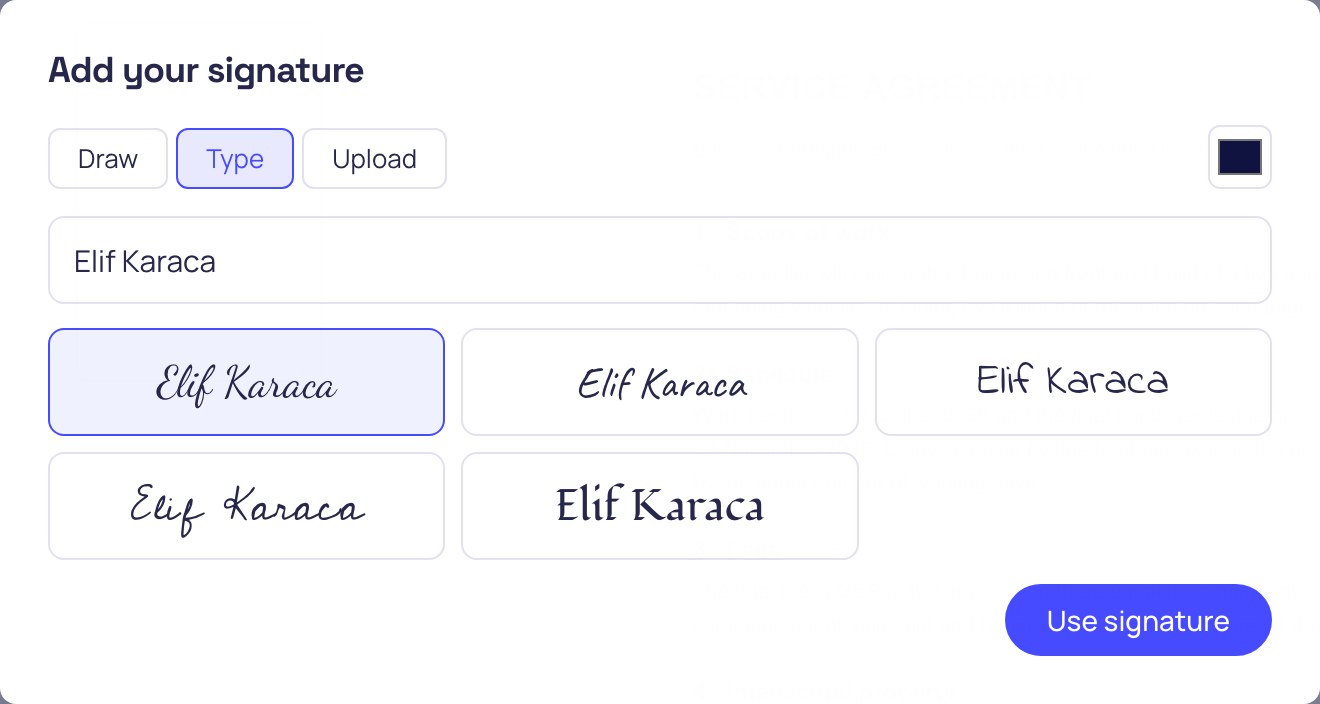
Draw, type in one of 5 handwriting styles, or upload a scan — the last 4 signatures stay in your browser.
No limits, no signup — the file is opened by your browser, not uploaded
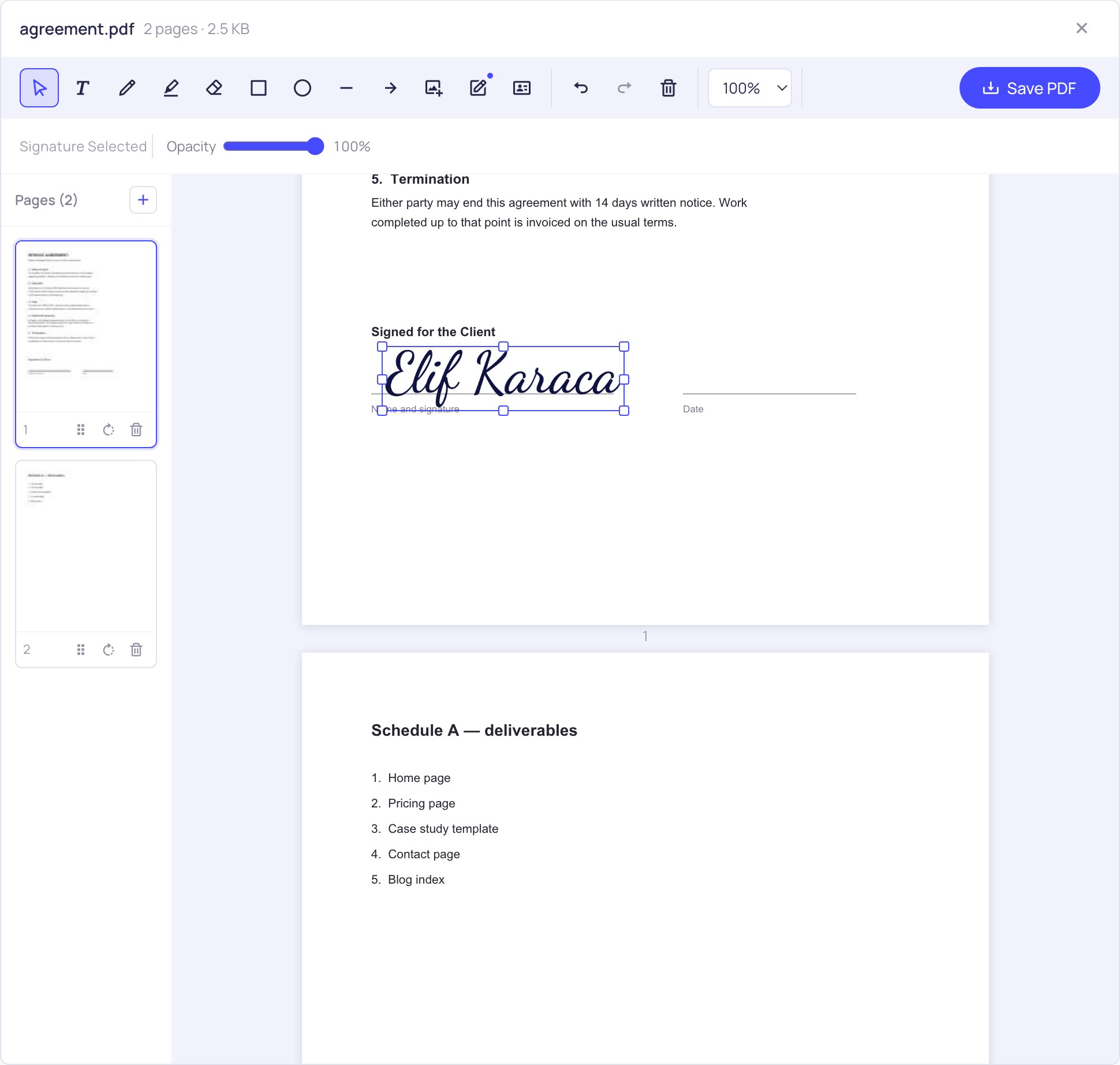
Open a PDF and the Signature tool is ready — draw, type or upload your signature, then drag it into place. Every other tool stays in the toolbar above.
What is Online Sign PDF?
Somebody sends you a contract, a consent form or a delivery note and asks for it back "signed". The old routine is print it, sign it, scan it, hope the scanner is not out of toner. This tool skips all of that: you put your signature on the page and save the PDF, in about twenty seconds.
The signing happens on your own machine. The document is opened by your browser, the signature is drawn into it by your browser, and the finished file is written back to your downloads folder. It is never sent anywhere — which matters more here than on most tools, because the documents people sign are usually the ones they would least like sitting on somebody else's server.
Three ways to make your signature
- Draw it — sign with a mouse, a trackpad or a finger. On a phone or tablet this is the closest thing to signing on paper, and it is why a lot of people open this page on their phone rather than their laptop.
- Type it — write your name and pick one of five handwriting styles: Dancing Script, Caveat, Indie Flower, Cedarville and Fondamento. Useful when you are on a desktop with no touchscreen and a mouse-drawn signature looks like a seismograph.
- Upload it — if you already have a photo or scan of your signature, drop it in. A PNG with a transparent background sits on the page most cleanly.
Whichever route you take, the result is cropped tight to the ink before it lands on the page, so you do not end up dragging a big transparent rectangle around trying to line it up. Pick the ink colour first if you want blue rather than black — plenty of organisations still read blue ink as "signed by hand".
Sign once, reuse it
Your last four signatures are kept in your own browser's storage, so the next document is one click rather than another attempt at a steady hand. They stay on your device — they are not an account, they are not synced, and clearing your browser data removes them. If you share the computer, that is worth knowing.
Once the signature is on the page you can drag it, resize it from the corners and adjust its opacity. Multi-party documents work the same way: place one signature on page 1, another on page 6, and add a date or your initials with the text tool next to each.
What kind of signature is this?
This produces a visible, handwritten-style signature drawn into the page — the electronic equivalent of signing the printout and scanning it back. That is what the overwhelming majority of everyday paperwork asks for: rental agreements, school forms, freelance contracts, parcel receipts, NDAs, timesheets.
It is not a qualified digital signature: there is no certificate, no identity check and no cryptographic seal that a PDF reader can validate and attribute to you. If you are signing something that specifically requires a certificate-backed signature — certain legal filings, tenders and regulated submissions do — you need a certificate authority, not a drawing tool. We would rather say that plainly than let you find out at the wrong moment.
Frequently asked questions
Is my document or my signature uploaded anywhere?
Neither. The PDF is opened and saved by your browser, and saved signatures live in that browser's local storage. You can load this page, disconnect from the internet, and sign the document with no connection at all.
Is an electronically signed PDF legally valid?
In most countries an electronic signature is valid for ordinary agreements, and a drawn or typed signature is a common form of one. But validity depends on your jurisdiction and on what the document itself requires, and some documents demand a certificate-backed signature. We are not in a position to advise on your specific case — when it matters, ask whoever is receiving the document what they accept.
Can I add the date and my initials as well?
Yes. The text tool types anywhere on the page, so a date next to the signature or initials at the foot of each page take a few seconds. Initials can also be made as a second saved signature if you use them often.
Can somebody else sign the same PDF afterwards?
Yes. Save the signed file and send it on; the next person opens it here and adds their signature to the same document. Signatures are drawn into the page, so they survive being passed along.
Does signing work on a phone or tablet?
It does, and it is the nicest way to use it. Drawing with a finger or a stylus gives a far more natural signature than a mouse, and the page you get back is identical.
Can I fill in the form fields before signing?
Yes — this is the same editor throughout, so you can complete the fields with Fill PDF Form, sign at the bottom, and save once. Everything else the editor does is in the toolbar too; the full set lives on the PDF Editor page.